Foley VR Experience
A VR game built for Beeldcoalitie & VRRoom that teaches visitors about Foley sound design, developed with a team of four for museum and festival exhibitions.
Foley is a niche, declining craft, not from lack of interest, but from lack of access. Professional studios are expensive, formal education is scarce, and the discipline gets little public exposure compared to other parts of filmmaking. Our answer was an accessible VR "Foley room," where visitors create and sync their own sound effects to video, with no controller or prior training required.
Design question: How might we introduce people to the creative possibilities of Foley sound design through an engaging, playful VR experience?
My role shifted over the course of the project, I started as product owner, then moved into full-time FMOD and audio programming, technical problem-solving, client communication, and playtesting.
Key Features
- Fully controller-free VR interaction, built to a client requirement
- Dynamic, physics-driven audio system using FMOD
- Live in-VR sound recording, converted into playable in-game objects
- Interactive timeline for sequencing recorded sounds to video
- Automatic experience reset for walk-up museum visitors
- Iterated through five rounds of live audience testing
Technical Work
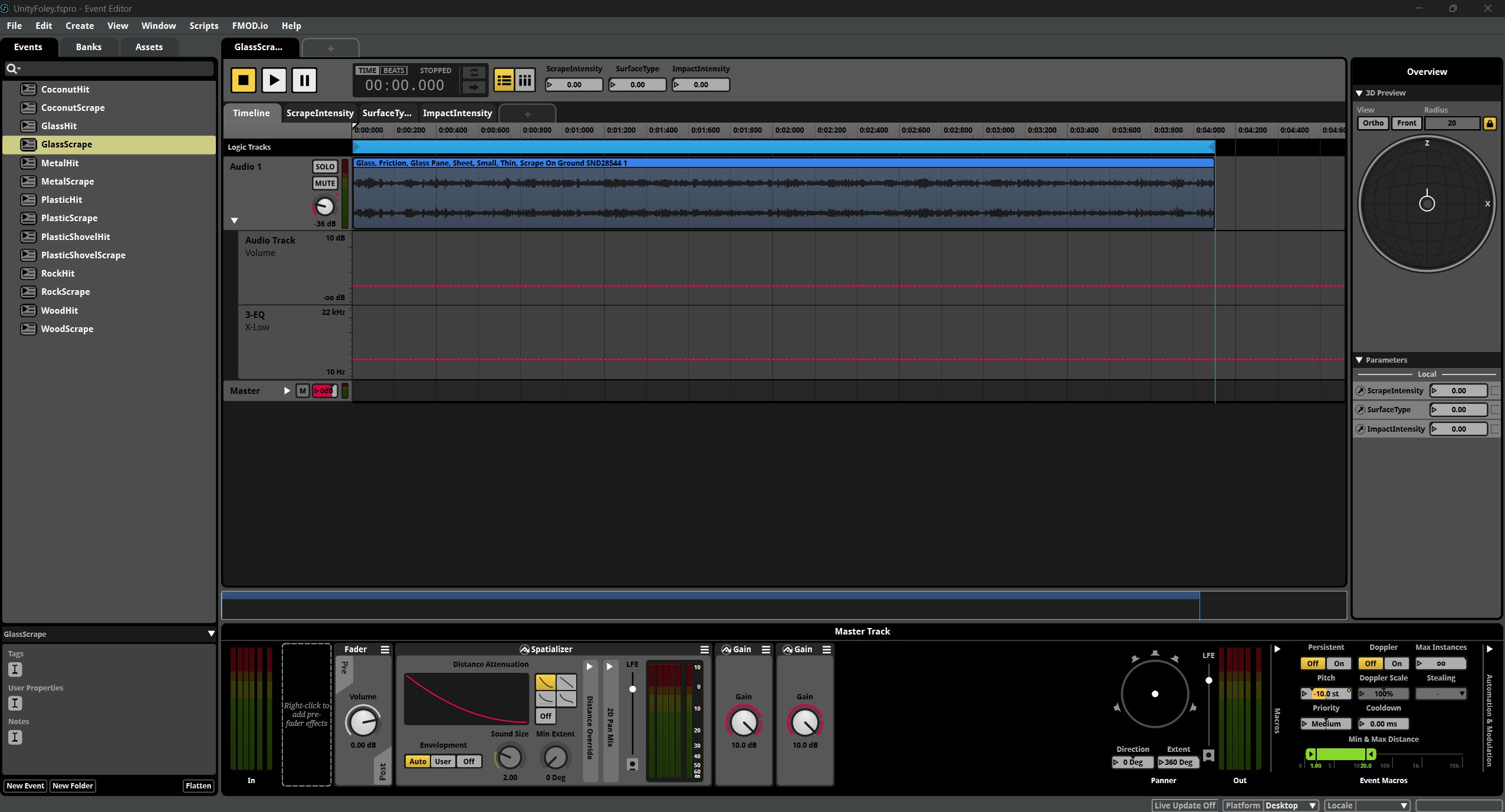
Unity's native audio system couldn't support the recording mechanic the game needed, so I learned FMOD from scratch, creating and integrating events, working with event instances, and controlling sound dynamically through parameters instead of swapping between pre-recorded clips.
Physics-Driven Dynamic Audio
I drove FMOD parameters directly from Unity's collision and velocity data. For example, a ScrapingIntensity parameter controlling volume, pitch, and playback rate, so louder impacts and faster scraping produced audibly different sound in real time.
Player-Recorded Sound Pipeline
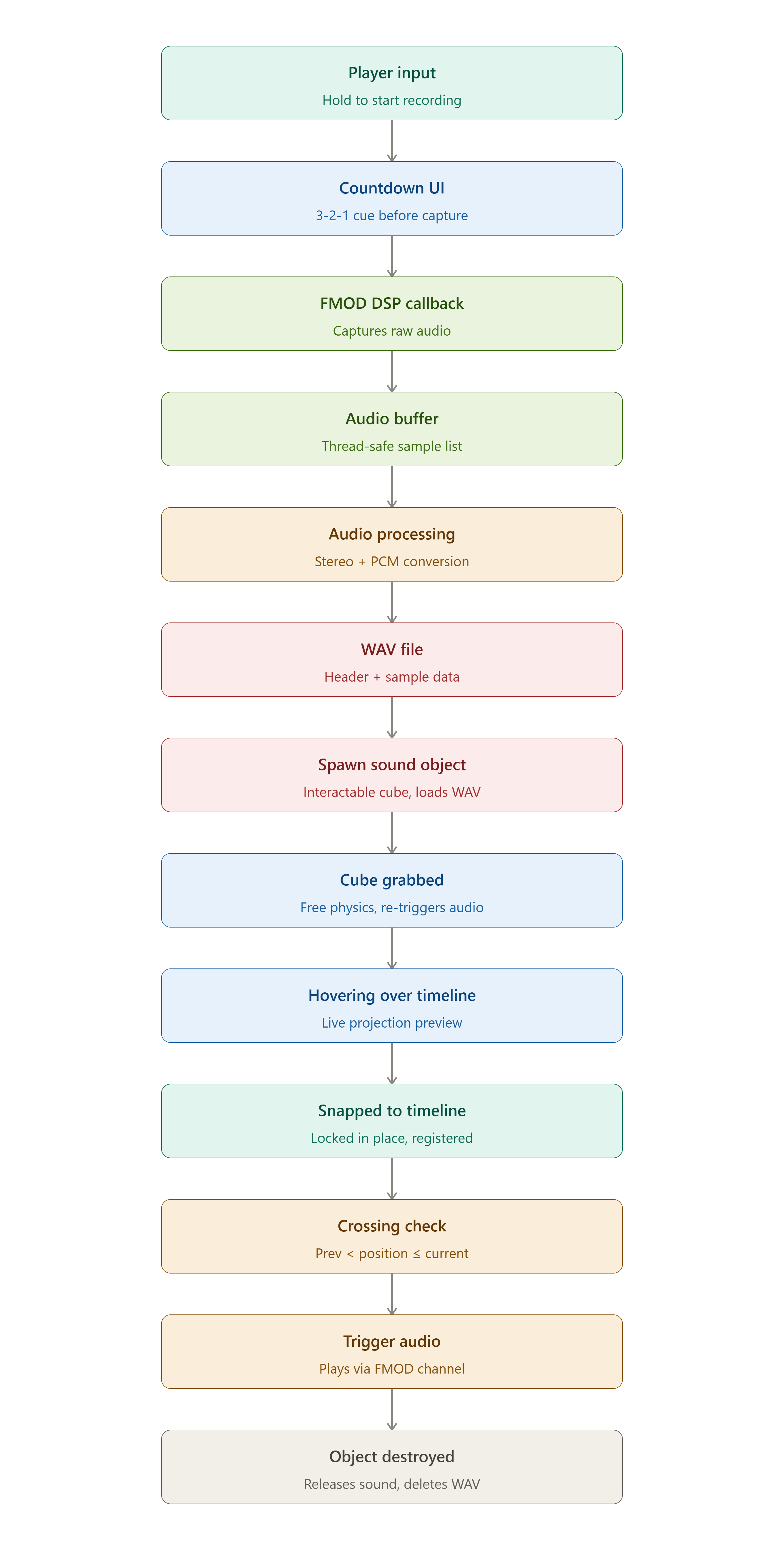
The most technically involved system: recording live audio in VR and turning it into a usable in-game object. I first tried Unity's OnAudioFilterRead(), but it could only capture from one audio source at a time. I switched to FMOD's CaptureDSP, capturing raw samples from a specific audio bus, converting them into a 16-bit WAV file, and spawning a new interactable object that could immediately use the freshly recorded audio.
Each recorded cube also handles its own playback lifecycle: grabbing it re-triggers its sound and unlocks it from the timeline, while dropping it back into the zone locks it in place via rigidbody constraints so it can't drift once positioned. On destroy, the sound and channel are explicitly released and the temporary WAV file is deleted, which mattered on Quest given its limited storage and memory.
Timeline Syncing System
I also built an interactive timeline where players place recorded sound objects, triggered as a video's playhead crosses their position.
Fixed a reliability bug on lower frame rates by checking both current and previous playback position, rather than only current, so fast-moving Quest playback couldn't skip a trigger.
bool crossed =
    previousProgress < timelinePosition &&
    currentProgress >= timelinePosition;

if (crossed)
{
    TriggerAudio();
    hasTriggered = true;
}
Notable Debugging
- A visual glitch causing orange lines in VR, isolated by elimination down to a fog setting
- A tutorial video that killed audio for all subsequent videos in the video player, traced to the first clip lacking an audio track and fixed by giving it a silent one
- A "fresh experience per visitor" requirement for museum use, solved using the Quest's headset presence detection to auto-reset the scene when a new person put it on
- Runtime audio loading on Quest silently failed until audio recorded file paths were prefixed with
file:///, a device-specific quirk not covered in FMOD's documentation
Testing & Iteration
Across five rounds of testing, from an early prototype through a final QA pass, feedback converged consistently:
- The experience needed to be shorter and immediately understandable with no prior Foley knowledge
- Basic hit-sounds weren't satisfying, which is what pushed the full FMOD rebuild
- The interface needed to clearly communicate its own state, especially around the recording function
- Multiple themed environments (an early build had pirate, cowboy, and space rooms) confused players; a single grounded recording-studio environment worked far better
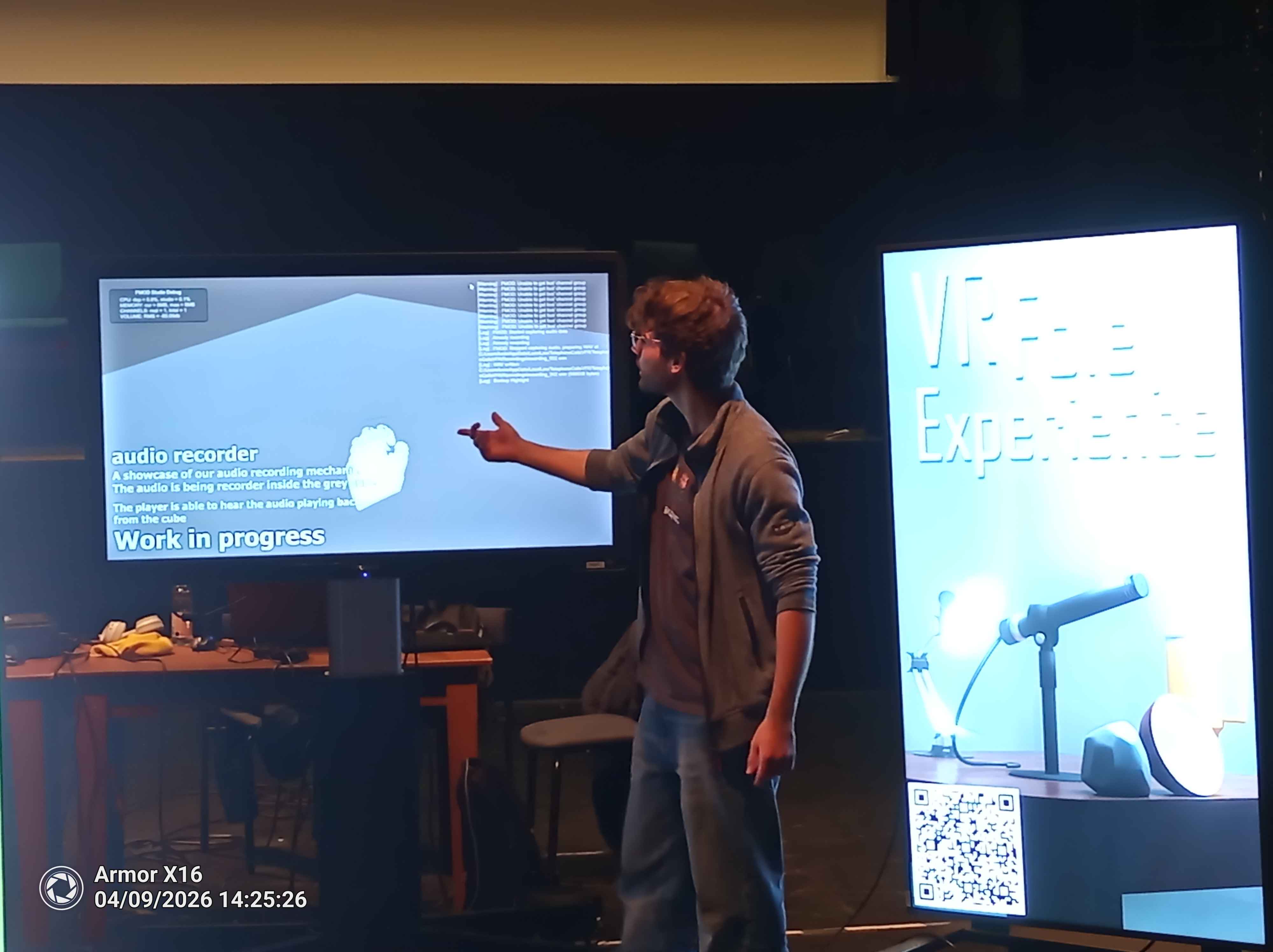
A final structured QA pass surfaced two real bugs, the orange visual glitch and accidental object grabbing, both fixed before the final demo.
Key Design Decisions
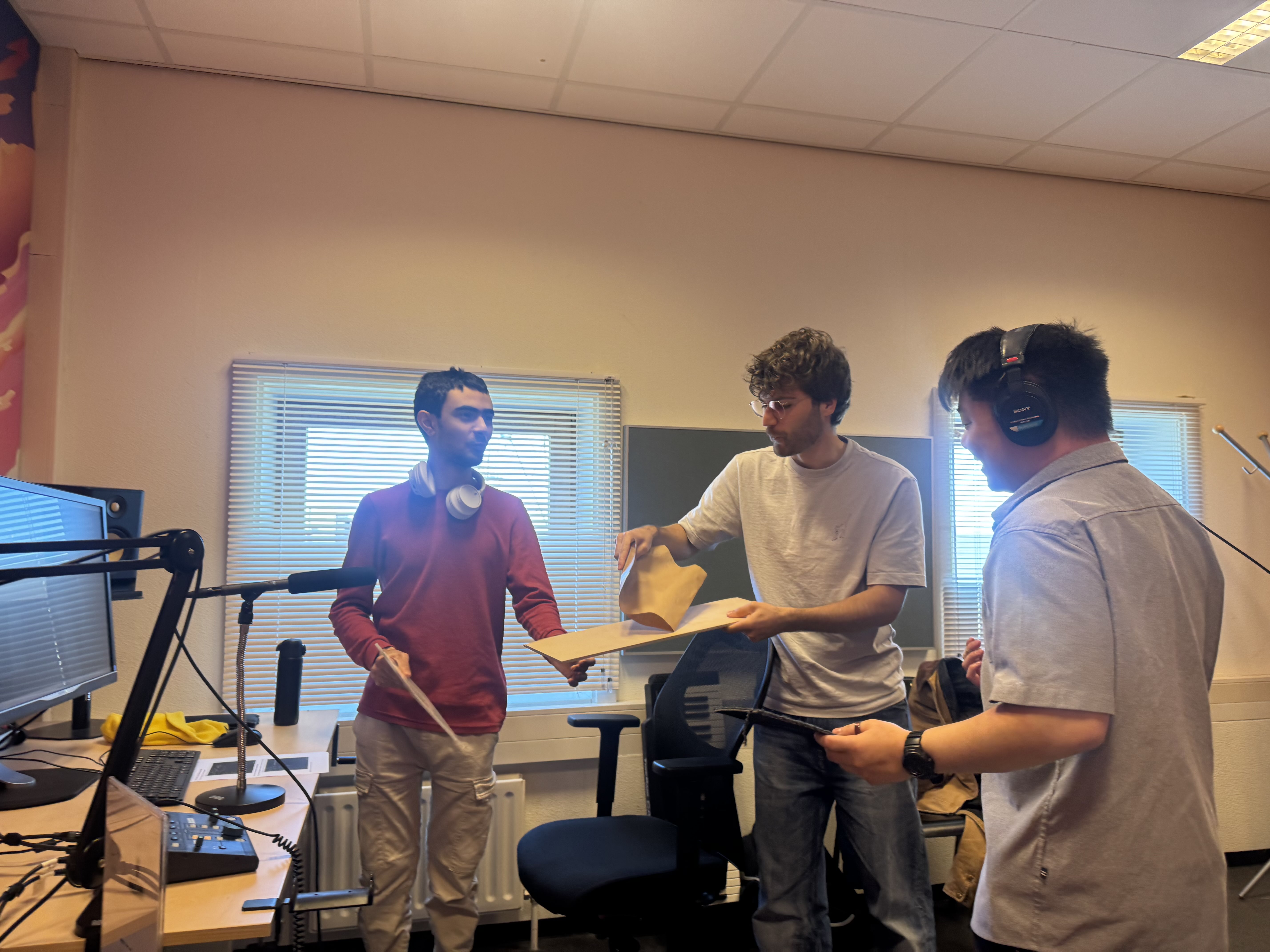
Early builds used stock sounds, but they felt generic. A conversation with professional Foley artist Wart Wamsteker, his advice was simple: if you want the right sound, record it yourself. This led us to run our own field recording sessions and build the game around real, self-recorded audio.
Reflection
This project pushed me deep into audio programming and technical problem-solving in VR, and confirmed that's the direction I want to take. It also strengthened my client communication and playtesting skills, running structured tests, gathering feedback from real audiences, and iterating based on what people actually did rather than what we assumed they would.