Scrapped
A VR game exploring environmental collapse, labour exploitation, and AI ethics through interaction and environmental storytelling.
Scrapped was an eight-week VR project developed by me and three other students. Players take on the role of an android forced to work in a giant waste pit beneath a futuristic city, collecting and destroying trash while slowly uncovering the truth behind the society they serve.
My primary responsibilities were gameplay programming, level design, and world-building. I focused on creating immersive VR interactions while designing gameplay systems that reinforced the game's themes.
Key Features
- VR gameplay using Unity XR Toolkit
- Designed and programmed interactive gameplay systems
- Environmental storytelling and world-building
- Gameplay loops and interaction flow design
- Reusable object behaviour scripts
- Accessibility through subtitle support
Gameplay Systems
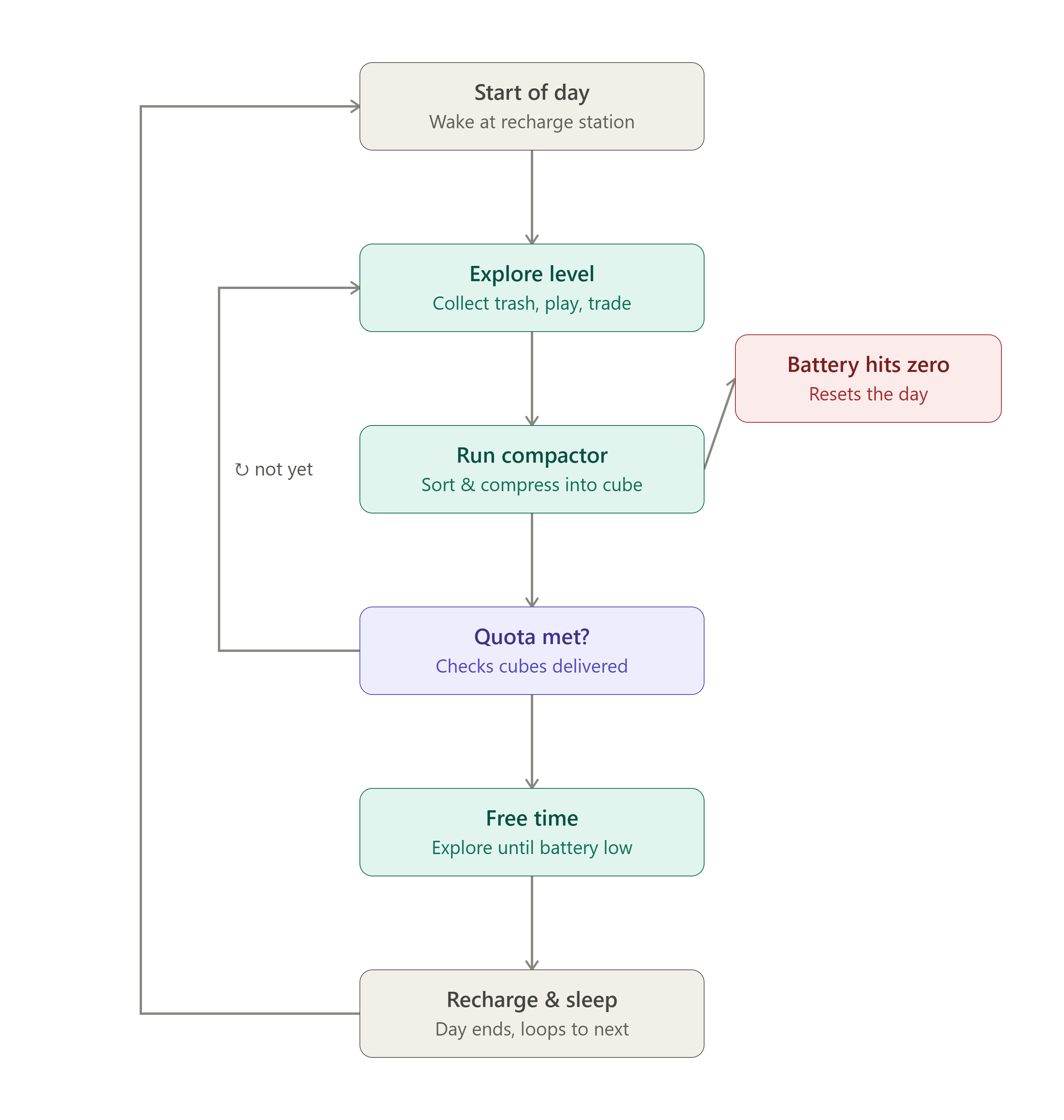
Several mechanics existed only as concepts, so I designed multiple gameplay loops that defined player actions, feedback, progression, and failure states before implementation, this helped the rest of the team visualise how each mechanic should function and made implementation much smoother.
- Waste collection and disposal
- Player upgrade interactions
- NPC conversations
- Resource management
- VR interaction flow
VR Programming
I programmed several interactive VR systems throughout the project, including a fully interactive lever that controls a large garage door. One challenge was preventing the animation from restarting while already playing, I solved this using Animation Events, letting the script detect exactly when the animation finished before accepting another interaction. It also taught me a cleaner way of controlling animation state inside Unity.
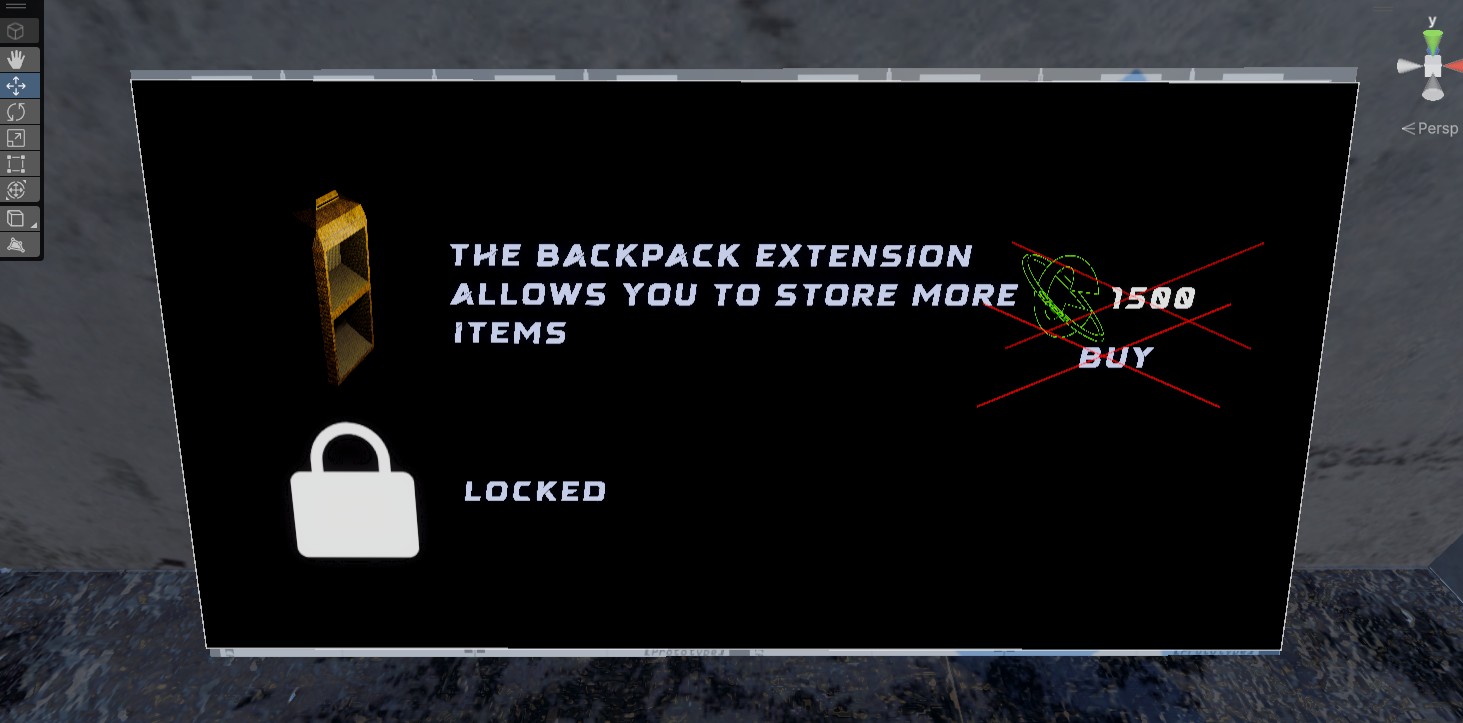
I also built an in-world upgrade terminal where players purchase backpack upgrades by hovering their hand over a button until a loading indicator completes. Once purchased, the backpack visibly increases in size.
To make the environment feel more unsettling, I created reusable security cameras inspired by Portal that will follow the player. The script lets any object follow any target with configurable rotation offsets, making it reusable throughout the project rather than tied to a single asset.
using UnityEngine;

public class CameraRotate : MonoBehaviour
{
    [SerializeField] private Transform targetObject;
    [SerializeField] private float rotationSpeed = 5f;
    [SerializeField] private Vector3 rotationOffset = new Vector3(0, 0, 0); //rotation offset for the camera

    void Update()
    {
        // Get direction to player
        Vector3 direction = targetObject.position - transform.position;

        // Calculate target rotation
        Quaternion targetRotation = Quaternion.LookRotation(direction);

        // offset the camera rotation
        targetRotation *= Quaternion.Euler(rotationOffset);

        // Smoothly rotate towards player
        transform.rotation = Quaternion.Slerp(transform.rotation, targetRotation, rotationSpeed * Time.deltaTime);
    }
}
To make the world feel more alive, I created a timed plane-spawning system that periodically flies over the level before disappearing beyond the map. While technically a simple feature, it sticks to one of the game's central themes by constantly delivering more waste into the pit where the player works, making the environment feel active even when the player isn't directly interacting with it.
The system spawns a plane at a random interval within a configurable time range, selects a random spawn position, and applies a slight rotation variation so each flyover feels less repetitive. Once spawned, each plane moves along its flight path, periodically drops waste into the level, plays its engine audio, and cleans itself up after a configurable amount of time to avoid leaving unnecessary objects in the scene.
Looking back, there are a couple of areas I would improve. The rotation variation is currently hardcoded, which makes it less flexible if the flight path ever changes. Instead, I would expose the base rotation and variation as configurable values to tweak the behaviour directly from the Inspector.
I would also replace the spawnAreaMin and spawnAreaMax variables with a dedicated spawn zone in the scene. That way I could simply resize or move the area visually in the editor instead of tweaking coordinates in code, making the system much easier to work with and reuse in other levels.
using System.Collections;
using UnityEngine;

public class planeSpawner : MonoBehaviour
{
    [Header("Spawn Settings")]
    [SerializeField] private GameObject objectToSpawn; // Prefab to spawn
    [SerializeField] Vector3 spawnAreaMin = new Vector3(-10, 0, -10);
    [SerializeField] Vector3 spawnAreaMax = new Vector3(10, 0, 10);
    [SerializeField] float minTime = 90f;
    [SerializeField] float maxTime = 120f;

    void Start()
    {
        StartCoroutine(SpawnRoutine());
    }

    IEnumerator SpawnRoutine()
    {
        while (true)
        {
            // Wait a random time between min & max seconds
            float waitTime = Random.Range(minTime, maxTime);
            yield return new WaitForSeconds(waitTime);

            // Pick a random position within bounds
            Vector3 randomPos = new Vector3(
                Random.Range(spawnAreaMin.x, spawnAreaMax.x),
                Random.Range(spawnAreaMin.y, spawnAreaMax.y),
                Random.Range(spawnAreaMin.z, spawnAreaMax.z)
            );

            // Spawn the object with rotation and position variation
            Quaternion rot = Quaternion.Euler(90f, Random.Range(250f, 290f), 0f);
            Instantiate(objectToSpawn, randomPos, rot);
        }
    }
}
Accessibility
I developed a subtitle system that displays dialogue alongside voice playback. Compared to subtitle systems I'd created previously, this version was much more modular and easier to extend, making it simple to add or edit dialogue without changing the underlying code.
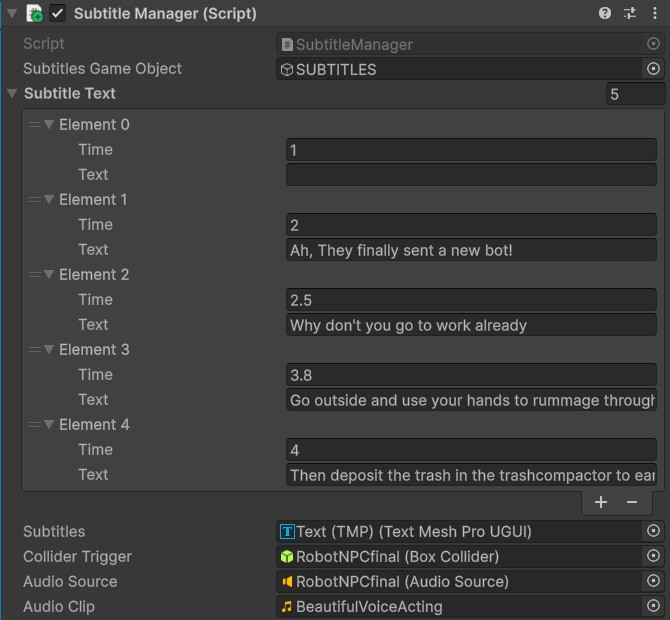
I mainly built the system for my own voice acting, so I could easily add new dialogue and line up the subtitles with each recording. Whenever I re-recorded a line, I only needed to tweak the subtitle timings instead of rebuilding the whole sequence.
Voicelines made by me and edited in FL Studio:
Level Design
One of my main goals was to let the environment tell the story instead of relying on long dialogue or cutscenes.
Every area was designed to support the game's themes of environmental collapse and labour exploitation. Throughout the game, the player repeatedly collects, compacts, and burns waste while planes continue dumping more rubbish into the pit overhead. I wanted that repetitive gameplay loop to make players feel like they're part of a system that never stops.
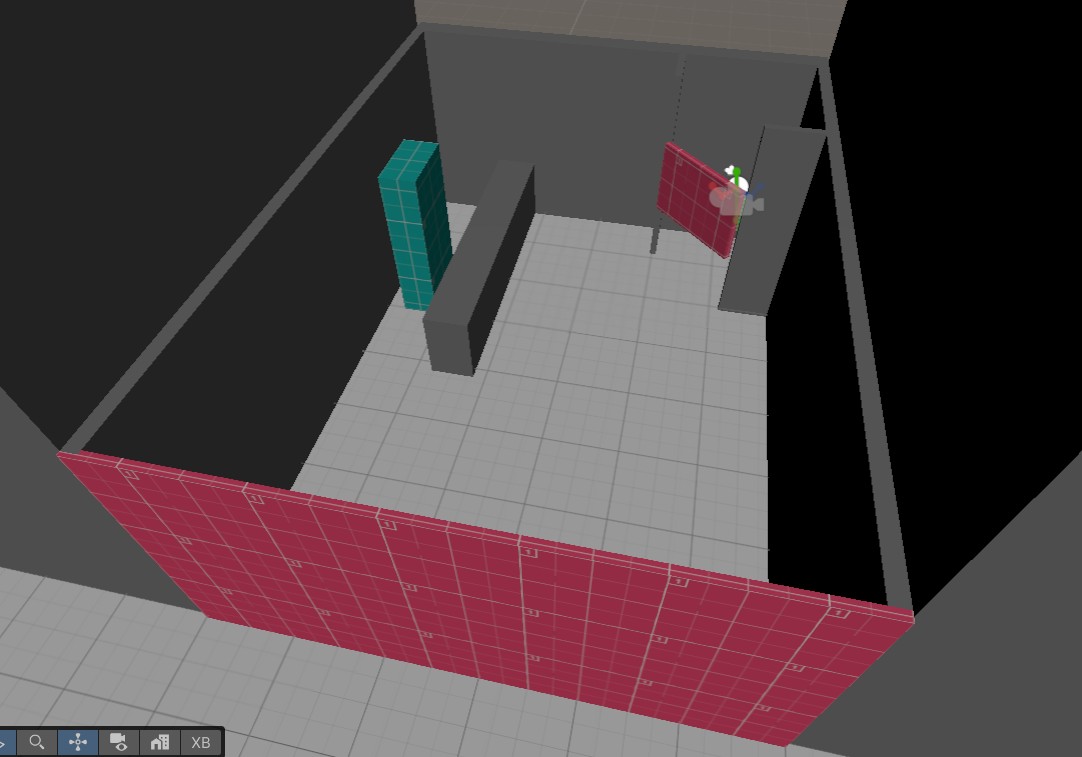
I also spent a lot of time iterating on the level based on playtest feedback. Early versions felt too flat and oversized, so I went back to the greybox, added more height variation, improved the player flow, and introduced stronger landmarks to make navigation feel more natural. Those changes made the environment much more interesting to explore and reinforced how valuable playtesting is during development.
Design Challenges
One of our biggest goals was ensuring the gameplay reinforced the narrative. Rather than telling players that society ignores its problems, we designed mechanics that let them experience it firsthand. The repetitive cycle of collecting, compacting, and burning waste reflects the endless labour expected from the android workers, while planes continuously dump more trash into the pit above.
After presenting our first greybox during a playtest, we got feedback that the level felt too large and visually flat. I redesigned the terrain with height variation and stronger landmarks, creating a more interesting environment that guided players more naturally.
Our original concept included an AI revolution, branching storylines, and a much larger narrative, but as development progressed we realised these ideas weren't achievable within an eight-week project. Narrowing the scope to focus on polished gameplay systems and environmental storytelling resulted in a much stronger prototype.