Wildlands Adventure
A mobile game developed for Wildlands Adventure Zoo Emmen where players explore the zoo, complete quests, collect animals, and discover fun facts about wildlife along the way.
Wildlands Adventure was developed by a team of six students for Wildlands Adventure Zoo Emmen, aiming to encourage children aged 9 to 12 to learn about animals during their zoo visit.
I was responsible for programming the gameplay for our level, designing the level itself, and contributing to the research process. This was also my first Unity project, so I spent a lot of time learning C# while building systems that could easily be expanded by the rest of the team.
Key Features
- Developed for Android and PC
- First project using Unity and C#
- Programmed all gameplay for one level
- Designed the level layout and gameplay flow
- Conducted competitor analysis and user research
Research
Before development, I researched educational and animal-themed games to understand what makes them engaging for younger audiences. Titles like Planet Zoo and Zoo Tycoon showed how rewarding progression and interactive gameplay can make learning fun, while simpler zoo games often lacked clear objectives and felt less engaging.
To validate our ideas, we interviewed children visiting Wildlands Zoo about their favourite animals, the games they play, and how they experience a zoo visit. Collecting, exploration and rewards came up again and again, and titles like Minecraft and Fortnite were clear favourites, yet almost none of the kids actually read the information signs around the zoo.
That finding changed our approach completely. Instead of expecting players to read educational content, we wanted to integrate fun animal facts directly into the gameplay itself.
Programming
Since this was my first Unity project, there was a learning curve. Once comfortable with C#, I started building the gameplay systems for our level.
Player Controller
I created the player controller using Unity's joystick input system for mobile devices. During development I ran into issues with movement direction because I was using a Vector2 where a Vector3 was required. After fixing that, I added a joystick deadzone to prevent small accidental movements.
void Update()
{
    Vector2 input = moveActionToUse.action.ReadValue<Vector2>();
    Vector3 moveDirection = new Vector3(-input.y, 0, input.x);
    transform.Translate(moveDirection * speed * Time.deltaTime);
}
To improve the controls further, I rebuilt the player rotation using Mathf.Atan2 together with Quaternion.Euler, giving the player much smoother movement while turning.
Gameplay Systems
I programmed most of the gameplay systems used throughout the level, including:
- Quest system with dynamic objectives
- Objective arrow system
- Scene teleporters
- Loading screen with fade transitions
- Main menu and settings menu
- Game over screen
- Player animations
The quest system updates the current objective, changes the quest text, and activates the correct objective marker as the player progresses. To help players navigate, I also created an objective arrow that points toward the active objective even when it's outside the camera view.
Enemy AI
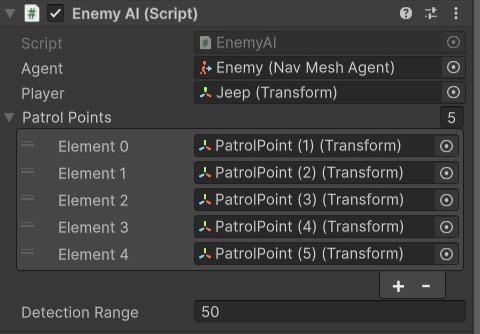
I programmed a simple enemy AI using Unity's NavMesh system. Enemies patrol between predefined points until the player enters their detection range, then switch to chase mode using NavMeshAgent.SetDestination(). If the player is caught, the game fades to a game over screen before restarting the level.
UI & Polish
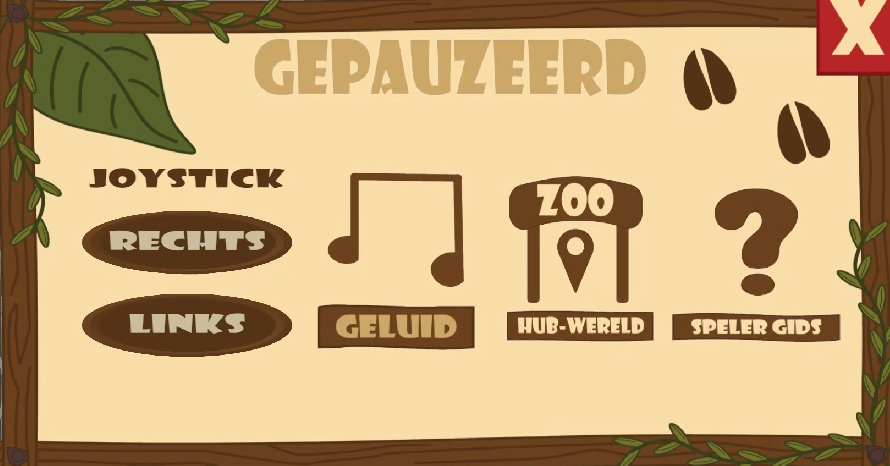
Alongside the gameplay systems, I programmed several UI elements including the main menu, pause menu and settings menu, which includes a music toggle, joystick repositioning, a simple player guide, and a return-to-hub button.
Technical Challenges
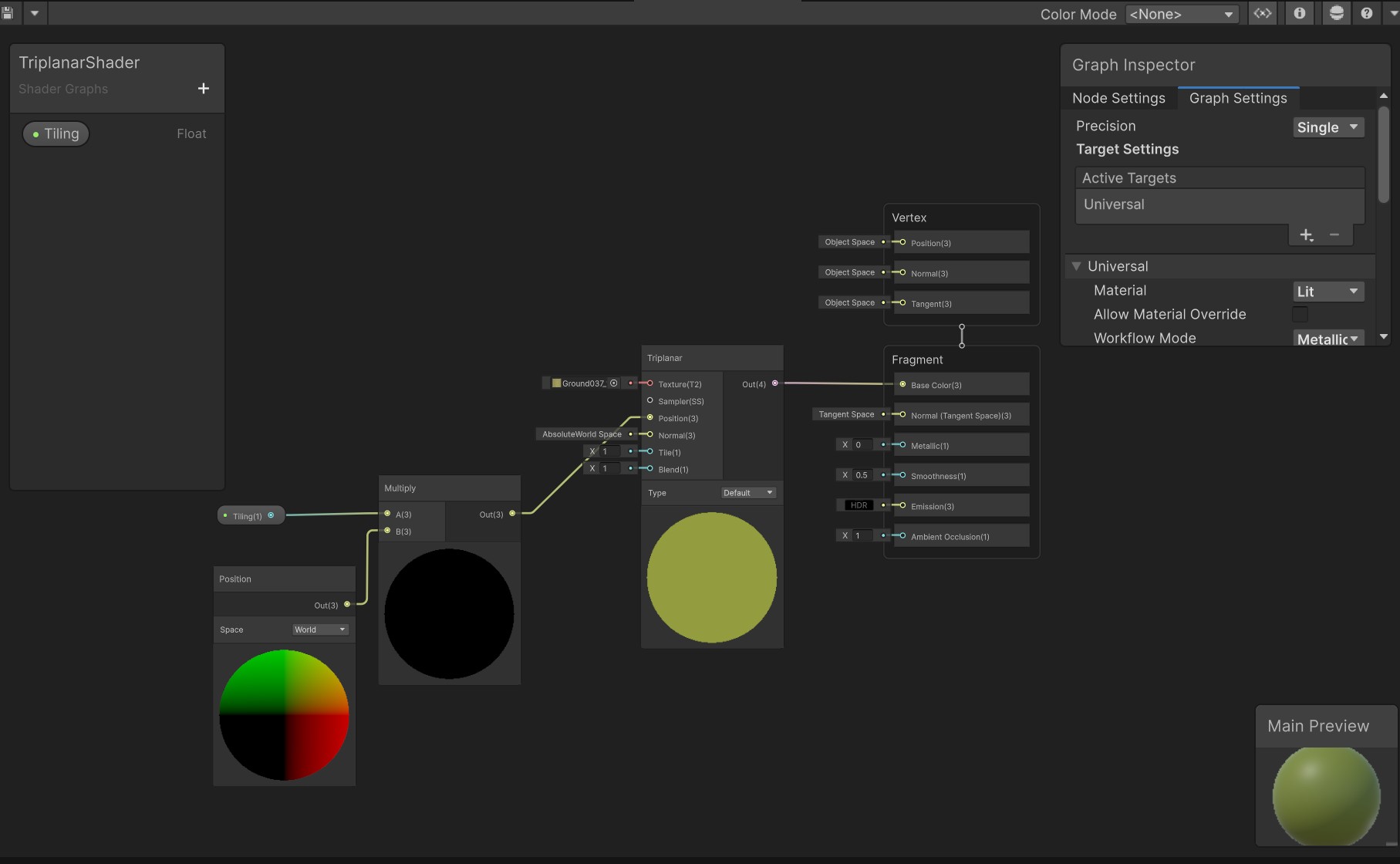
One challenge was applying textures to our terrain, its unusual shape caused the ground texture to stretch heavily. To fix this, I implemented a Triplanar Shader, which projects textures from multiple directions instead of relying entirely on UV mapping, resulting in much cleaner-looking terrain.
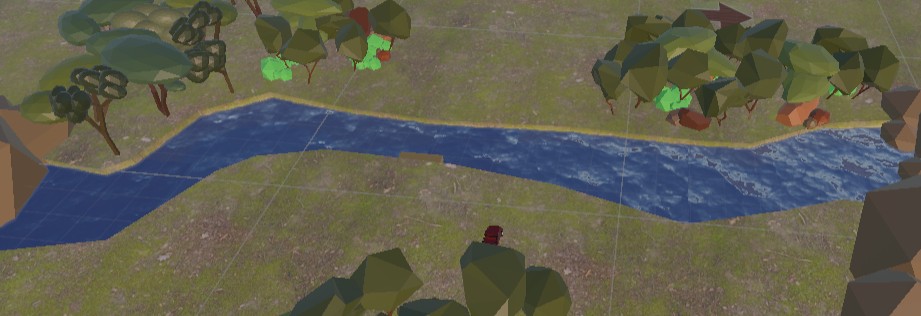
I later worked with a teammate to expand the driving section's playable area and add natural boundaries to stop players from leaving the map. Once that was done, I added colliders, extended the Triplanar Shader to the new terrain, and integrated a water shader from the Unity Asset Store.
Another memorable moment came while testing teleporters, I spent much longer debugging than I'd like to admit before realising Unity's phone simulator simply doesn't process keyboard input. A simple mistake, but a good reminder to verify the testing environment before assuming the code is broken.
This project taught me far more than just Unity, it was my first experience with C#, GitHub, mobile development and a real client. Talking directly to our target audience completely changed how we approached the design, helping us create gameplay that naturally encouraged learning instead of relying on long blocks of text.
Looking back, there are systems I'd redesign with more experience, but this project gave me a strong foundation in Unity development and showed me how important iteration and player feedback are when building games.